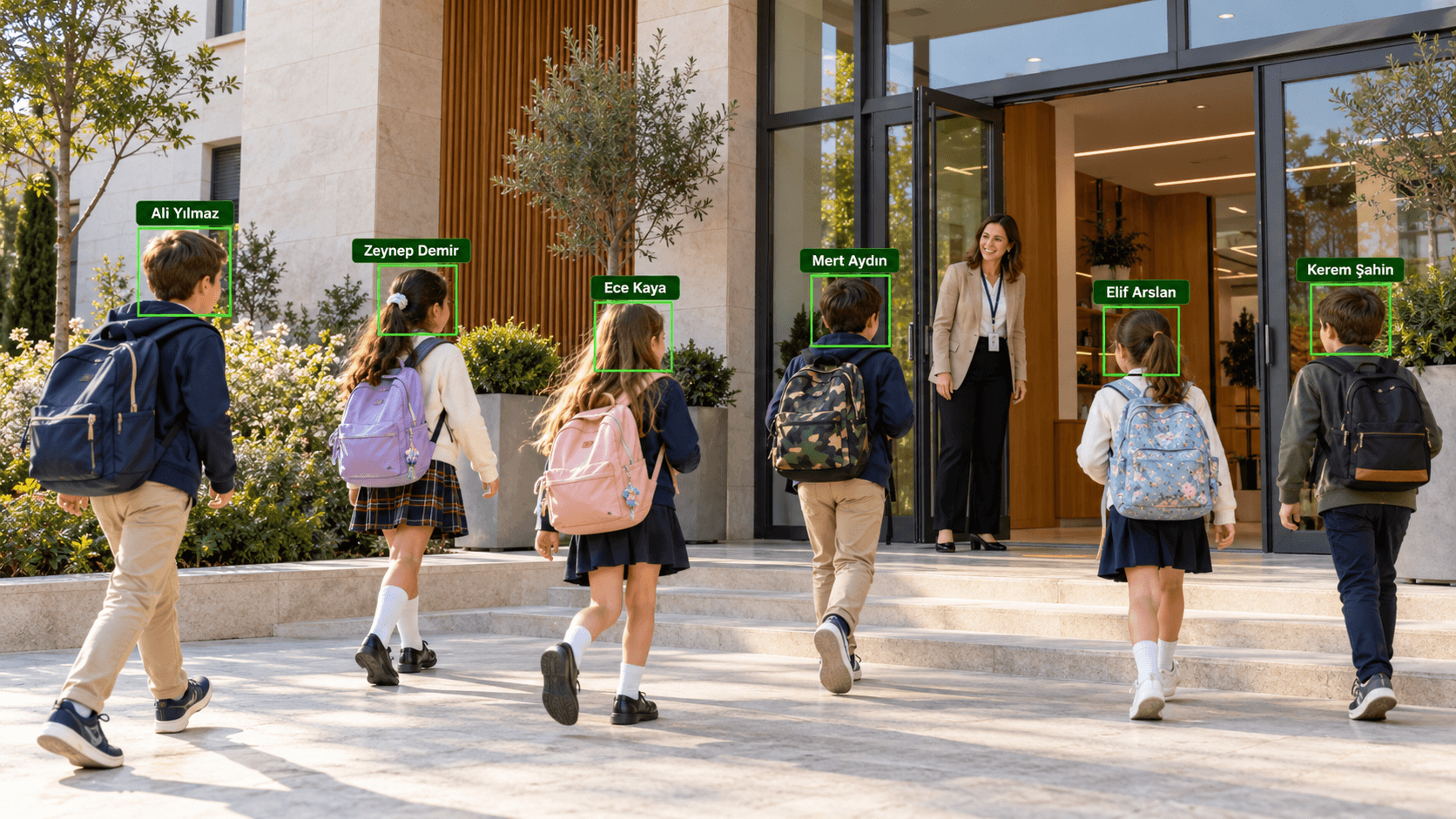
How does face recognition at the school gate work?
The gate camera recognizes students entering and leaving in real time. In teacher-approved mode each recognition lands in the teacher's approval queue; the teacher approves, corrects or rejects it, and can approve in bulk at busy times.
The school chooses how messages are sent: with teacher approval, a wrong match is caught before it reaches a parent; in automatic mode the message goes out the moment the student is recognized. The two modes can be set separately for entry and exit, and records carrying a warning flag are never auto-approved. On the live gate screen the student's name and class appear over the camera image; the footage is not recorded.
Parent notification: SMS, WhatsApp and e-mail
Entry, exit, absence and correction messages go out in the parent's language (Turkish or English). The school edits the message templates, using variables such as student name, time, school, class and date.
Siblings' messages are combined into one, and the same student never gets a duplicate. If a channel fails, a fallback channel takes over. Setup starts in a "trial" mode in which no message is sent to anyone; once everything is verified it is switched to "live". Message fees and the SMS/WhatsApp provider account belong to the school.
Absence, late arrival and reports
Students who have not arrived are listed as candidates; when the teacher confirms, the parent receives an "absent" message. Late arrivals, early-exit permissions, excuses and the school calendar are kept in the system. Alerts are raised for students who may still be at school or who left without permission.
Ten reports, including daily absence, late arrivals, exits, students still at school and message delivery, export to Excel or CSV.
Fits the way your school is organized
Multi-campus, multi-building and double-shift schools are supported. Students are imported in bulk from Excel or CSV, and photos are uploaded in bulk and matched by school number. A year-end wizard moves students up to their new classes.
The admin panel works in Turkish and English. With role-based access, a teacher sees only their own class. Janus is installed on the school's own server with Docker.
Children's data and the legal framework
Students' face data is biometric, meaning special category personal data, and because it belongs to children it is especially sensitive. Türkiye's Personal Data Protection Board looks at necessity, proportionality and whether an alternative is offered when biometric data is processed; in Northern Cyprus the Law on the Protection of Personal Data No. 89/2007 applies.
Janus provides tools that support this process: purpose-based consent records (a student without consent has no face stored and entry/exit is logged manually), immediate deletion of the face when consent is withdrawn, configurable retention periods, an audit log and notice templates for parents and teachers. Legal compliance is the responsibility of the school as data controller, and we recommend working with your legal counsel before installation. For details, see our guide to face recognition and KVKK.
Key features
- Student recognition at the gate camera
- Parent notifications (SMS, WhatsApp, e-mail)
- Absence and late-arrival tracking
- Reports with Excel/CSV export
Who is it for?
- Private schools
- Colleges and education campuses
- Multi-building or double-shift schools
Frequently asked questions
What is Janus and how does it work?
Janus is a system that recognizes students by face with the gate camera and sends parents entry/exit information by SMS, WhatsApp or e-mail. Depending on the school's setting, the message goes out after teacher approval or automatically.
When does the parent get a message?
The school decides. With teacher approval, the record lands in the teacher's approval queue and the message is sent when the teacher approves; in automatic mode the message goes out as soon as the student is recognized. The two modes can be set separately for entry and exit.
Do parents need to install an app?
No. Parents receive the message by SMS, WhatsApp or e-mail; there is no separate parent app or portal.
What happens to a student whose consent has not been obtained?
No face is stored for a student without consent; entry and exit are logged manually. If consent is later withdrawn, the student's face data is deleted immediately.
How is students' face data treated under KVKK?
Face data is biometric, special category personal data, and because it belongs to children it is especially sensitive. Janus offers tools such as purpose-based consent, retention periods, deletion and an audit log; legal compliance is the responsibility of the school as data controller and should be assessed with legal counsel.
How does Janus pricing work?
After understanding your needs, we present a fixed-price, itemized quote. Once approved, the price doesn’t change — no surprise costs.
Do you provide installation and support for Janus?
Yes. We provide installation, maintenance and 24/7 support. Minor fixes are free in the first month.
Get a quote tailored to you
Tell us what you need and we will prepare a fixed-price, itemized quote. Our team replies within 24 hours.
Get a QuoteOur other products
- FACE GUARDFace Recognition Access Control
- SELFPASSIdentity Verification at a Self-Service Kiosk
- PRESENCEFace Recognition Staff Entry/Exit & Timesheet System
- Q-SENSEPeople Counting & Density Tracking
- VEYROCamera-Based Vehicle Counting & Traffic Analytics System
- LINESCOPENumber Lookup & Customer Tracking System